Create a transport rule to bypass the clutter folder and add safe sender
Updated 6 months ago /
You can create an a mail flow rule (also known as a transport rule) to help you bypass your Clutter folder and get directly into your Focused. By doing this, you can make sure that you receive only particular messages from selected sources or contacts (for example, senders from specific domains such as @cursum.com / @myacademy.dk and or @learningcenter.email).
The Transport rule is only available for Admin tenant in Office 365, it requires an access to the Exchange Admin Center > Mail Flow > Rules in Office 365.
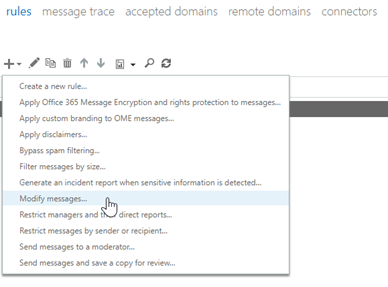
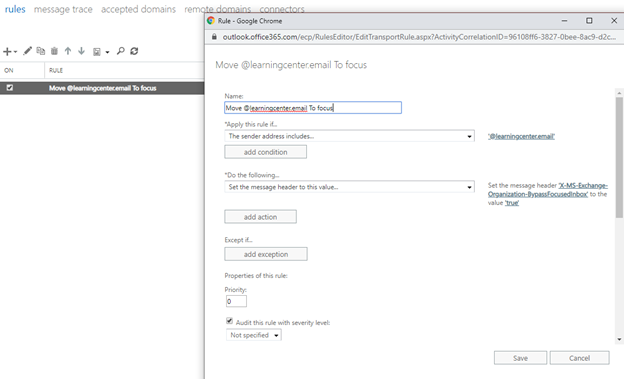
After this is done the email will be directly shown in Focus part of the inbox instead of in Other(clutter)

We recommend that your organization’s administrator set up a “Safe Sender” to allow specific email addresses or domains through company-wide spam filters.