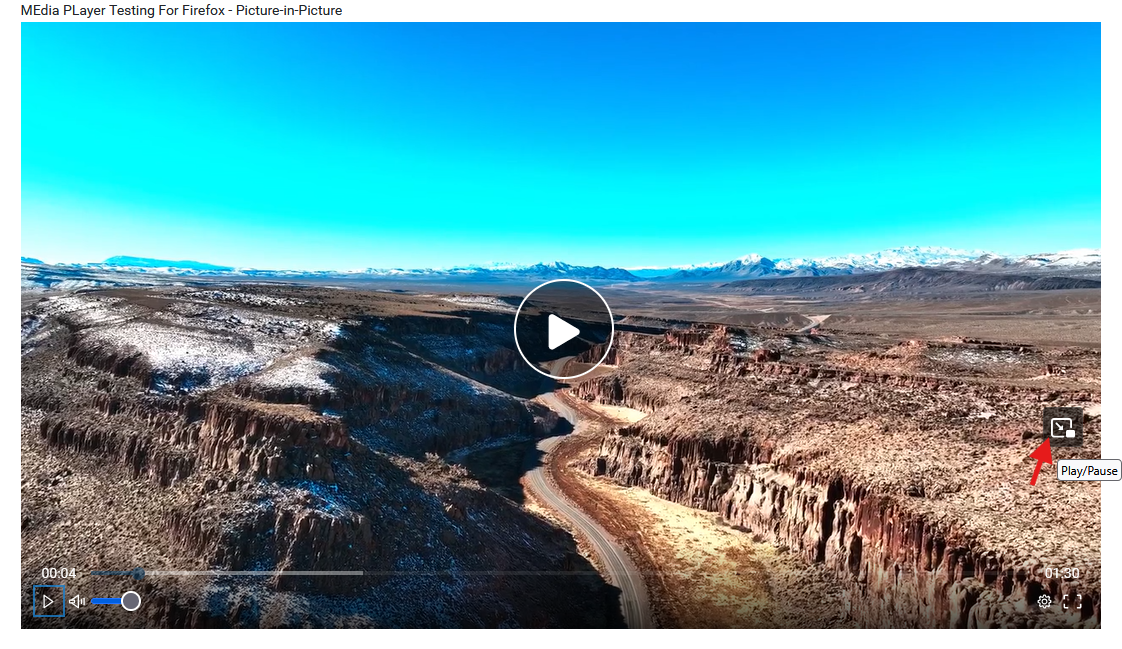
How to Enable Picture-in-Picture (PiP) Video Controls in Mozilla Firefox Browser
Updated 7 months ago /
1 min read
What is Picture-in-Picture?
Picture-in-Picture (PiP) in Firefox lets you watch videos in a small, movable window that stays on top of your screen while you browse or work in other tabs or apps. It’s ideal for multitasking without missing your favorite content.
How to Enable PiP Video Controls
Step-by-step:
1. Open your Firefox browser.
2. Click the Menu button (☰ three horizontal lines in the upper-right corner) and select Settings.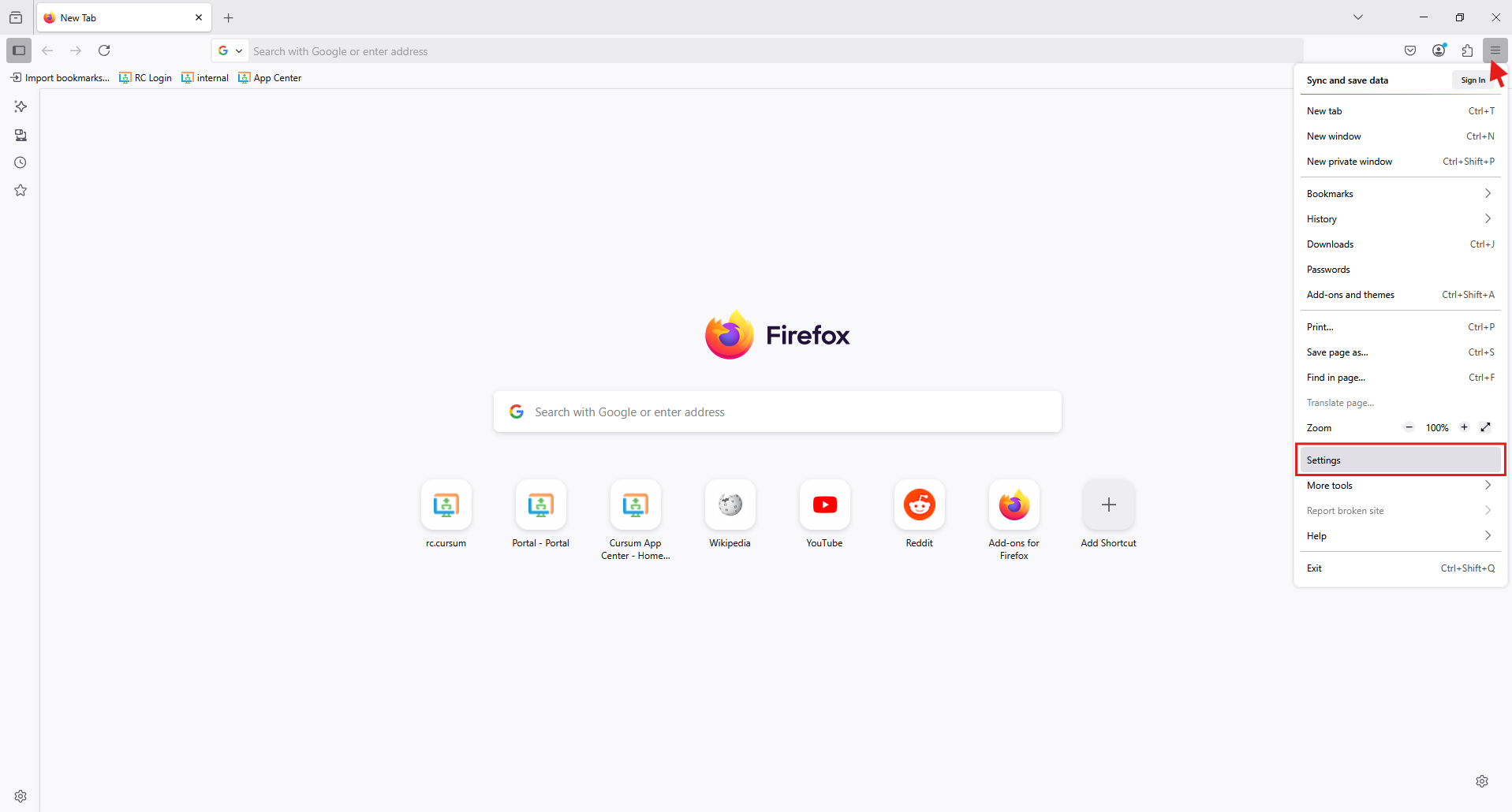
3. In the left-hand navigation panel, click General
4. Scroll down to the Browsing section. 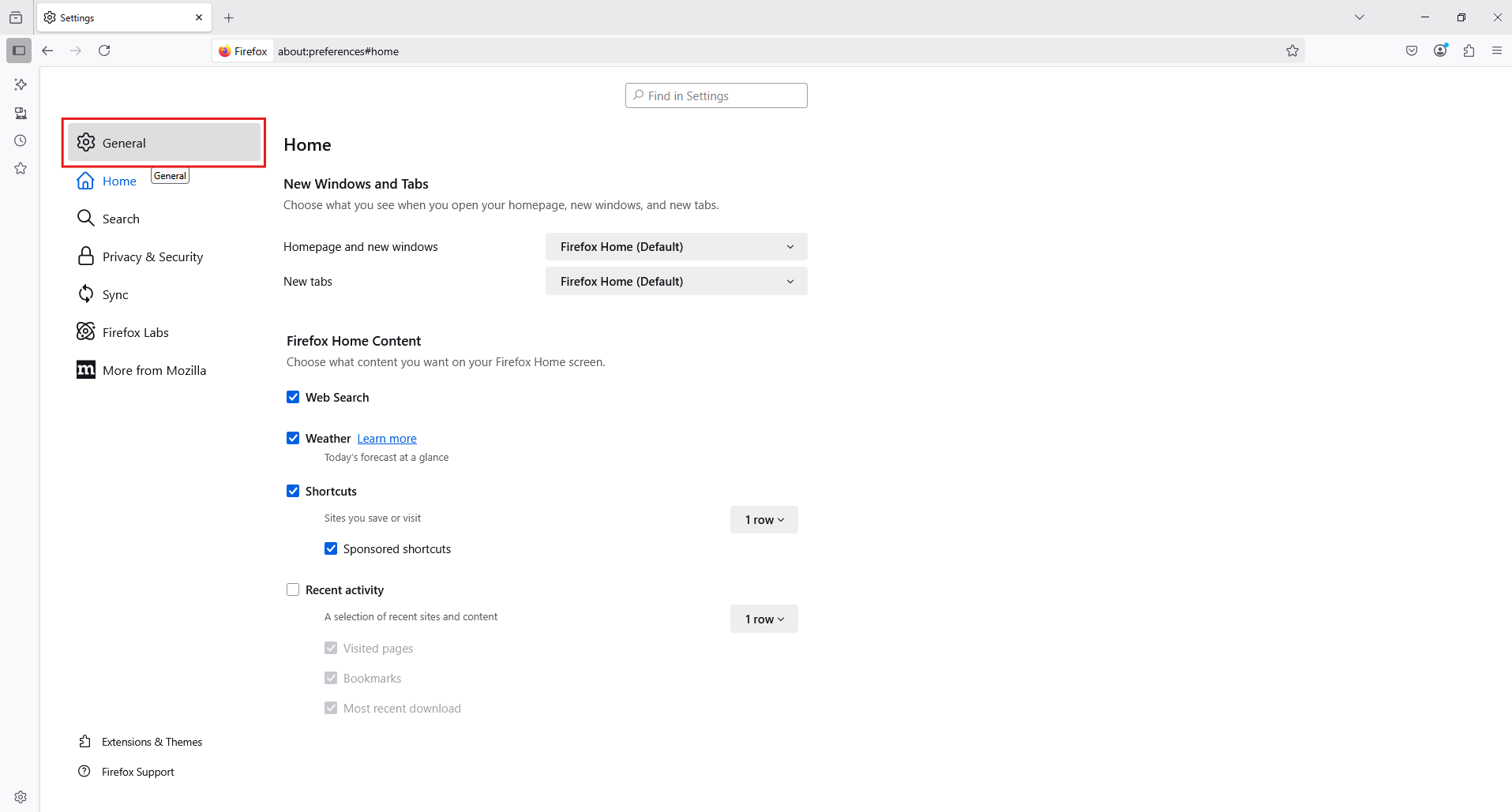
5. Check the box next to Enable picture-in-picture video controls. 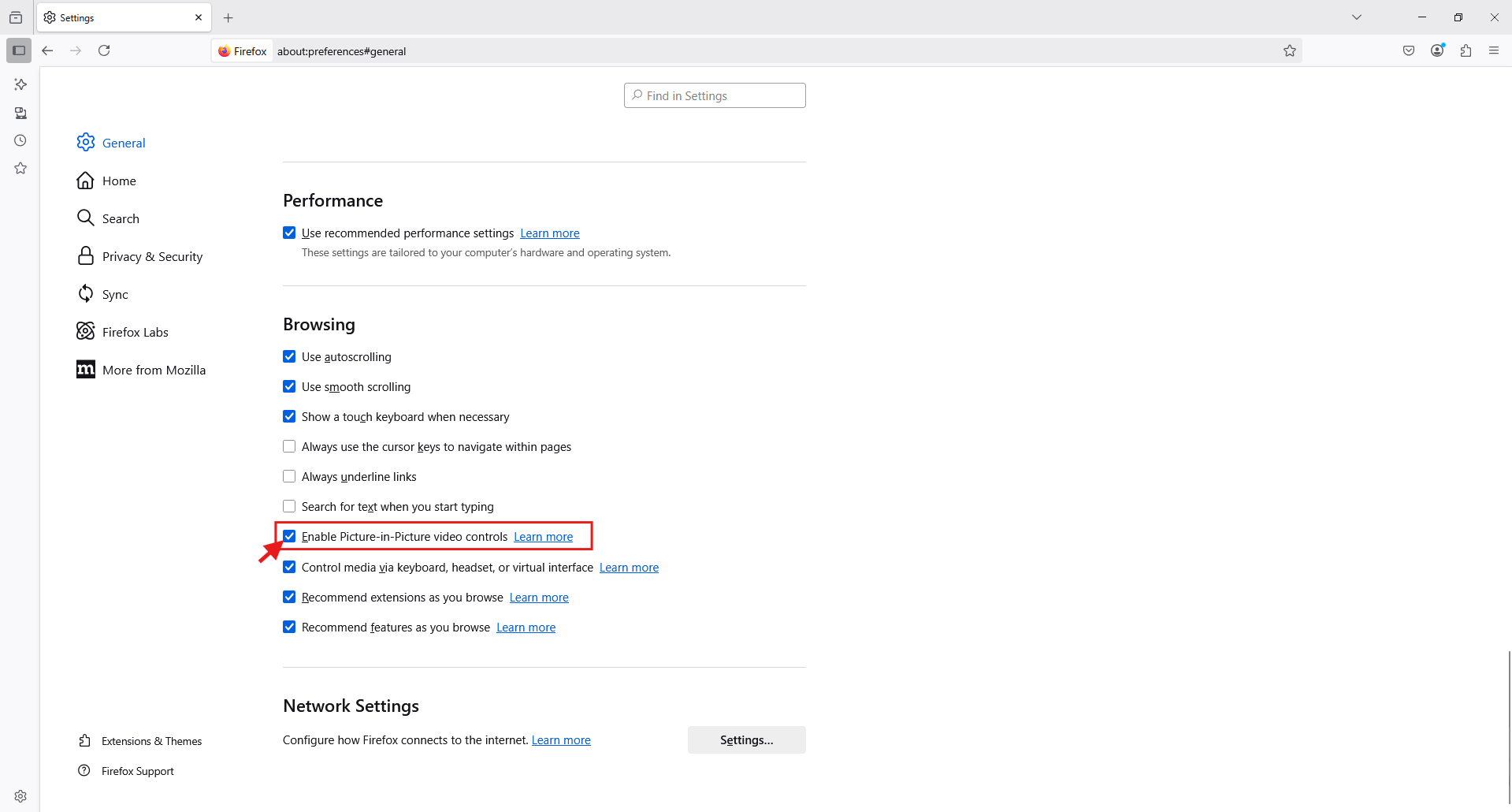
6. Close the Settings tab--your changes are saved automatically.
Note: This feature available only for videos that are 45 seconds or longer.
Here's what it looks like in Firefox.